
Website Not Showing in 1st Position on Google When You Search Your Company Name? Here’s What to Fix

Summary of this ArticleKnow what's in this article
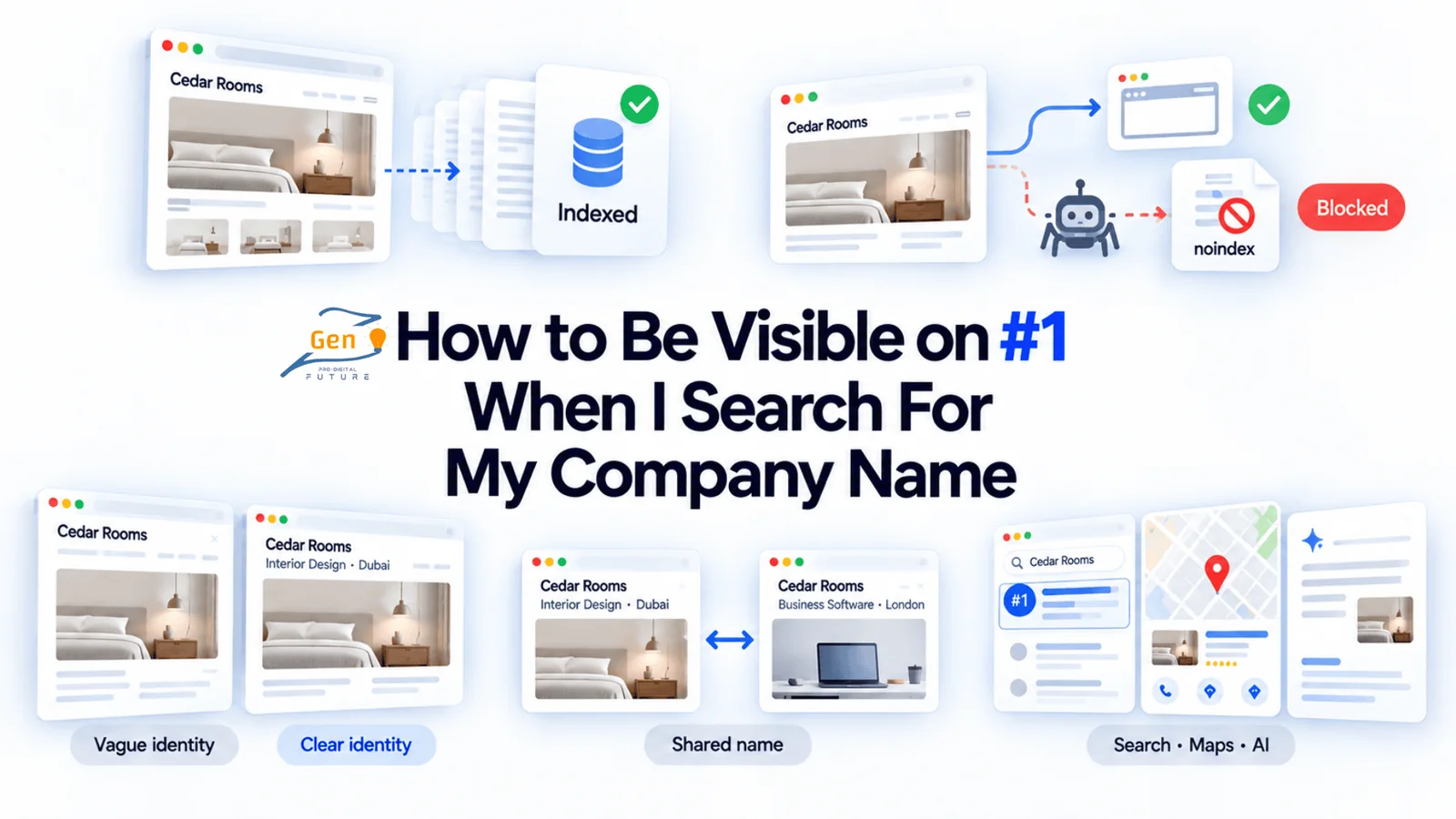
Type your company name into Google and see another business, or nothing? This guide helps you find why your website is not showing on Google for its own name. You check what appears, confirm whether Google has indexed the homepage, rule out settings that block access, make the homepage clearly identify your business, and sort out shared names, directories that outrank you, and Maps or AI mentions. It ends with how to measure whether your fixes actually help customers reach the right website.
Smartly summarized from full article, need to know more Talk to a growth expert at GenzPro
A potential client knows your company name, but Google shows another business when they search for you. Your website not showing in 1st position on Google for your own company name means they may contact the wrong company or give up before reaching you.
You want them to find your official website, recognise your business, and contact you without having to search again. An ai seo agency in dubai can check how your business shows up across Google and AI tools when customers look you up.
The fix starts with checking what Google can access and which business it associates with your name. Keep reading to find the likely cause, learn what needs changing, and check if those changes help customers find you.
What Appears When You Search Your Company Name?
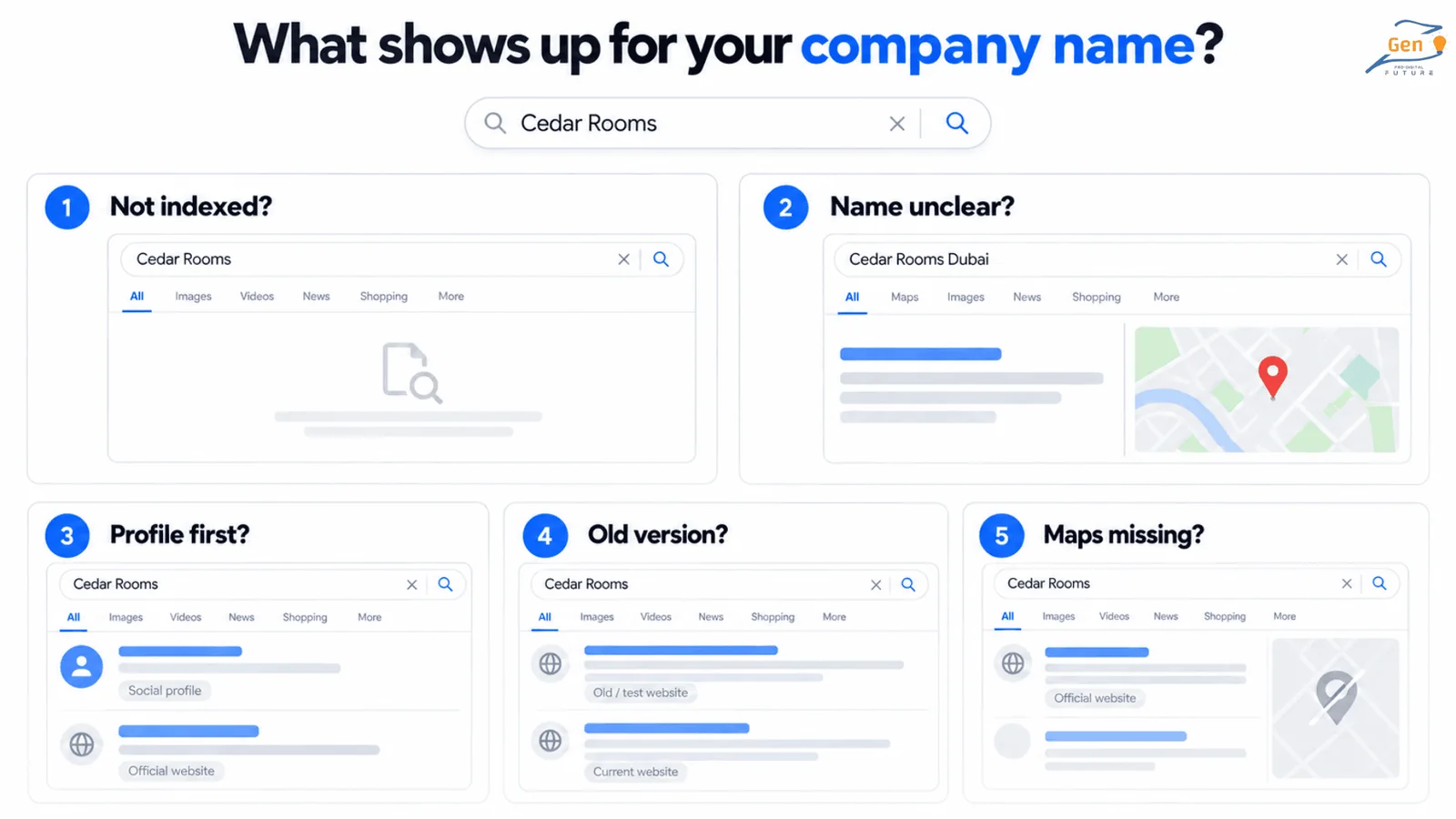
Before changing your website, search your company name and look at the results your customer sees. Then add your city or main service and compare what appears.
Also search your full website address. Google finding your website by its address does not necessarily mean it will show it for your company name.
| What Google shows | What you need to investigate |
|---|---|
| Nothing for your website address | Has Google indexed the homepage? |
| Your website appears only after you add the city or service | Does your company name match several businesses or meanings? |
| Facebook, LinkedIn, or a directory appears above your website | Can Google find your homepage, and do those profiles link to it correctly? |
| An old website address or test version appears | Has Google selected the wrong version of the homepage? |
| Your website appears, but your Maps listing is missing | Does your Google Business Profile have a separate problem? |
Our on-page expert checks these results because a company name can also describe a place or familiar word. If Google shows that other meaning, we need to investigate how clearly the website identifies the business.
But if Google has not indexed the homepage at all, changing the company description may leave the original problem unresolved.
Save screenshots of the results and send them to your developer or SEO company in Dubai. Ask them to explain what they suspect and how they will confirm it before recommending changes.
Google Needs to Index Your Homepage Before Showing It in Search Results
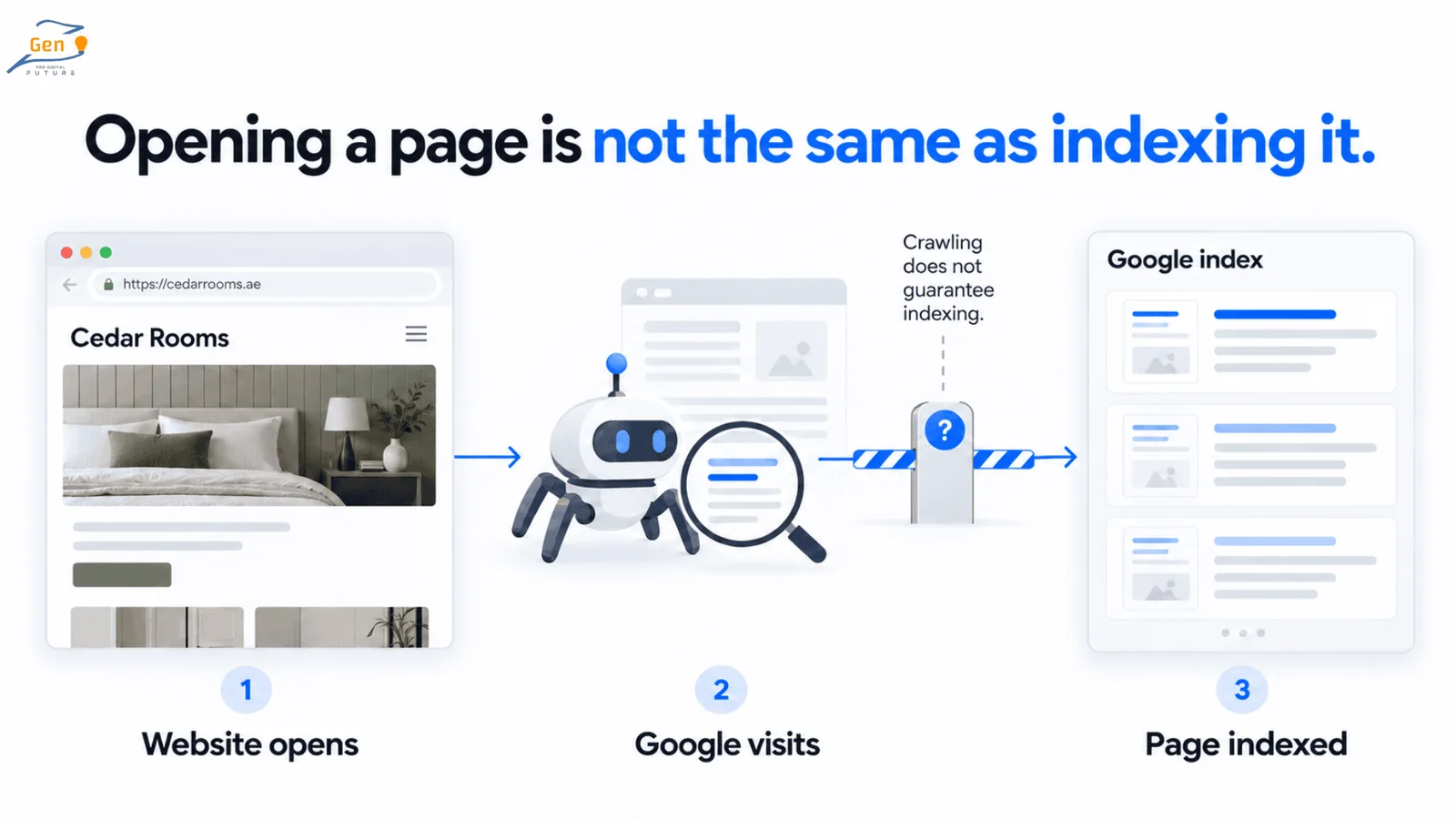
Your website can open normally in a browser without appearing in Google’s search results.
Google visits pages through a process called crawling, then decides which ones to include in its index. The index is the collection of pages Google uses to produce search results.
To check your homepage, open Google Search Console, Google’s free website search reporting tool. Select your website and paste the full homepage address into the URL Inspection bar.
If your developer manages Search Console, ask them to show you the result and explain any problems it reports.
- URL is on Google means Google has indexed the page, but it does not guarantee a result for your company name.
- URL is not on Google means you need to open the indexing details and investigate why the page is missing.
You may also see advice to search site:yourdomain.com. That can reveal pages Google shows, but an empty result does not conclusively prove your homepage is missing from the index.
I checked Google’s URL Inspection instructions because your developer can fix a page before Google revisits it. The live test checks the page now, while the initial report shows Google’s stored information.
After a repair, compare the report’s last crawl date with the date of the change. If Google last visited before the repair, that report may still describe the earlier problem.
Your Website Has Just Launched
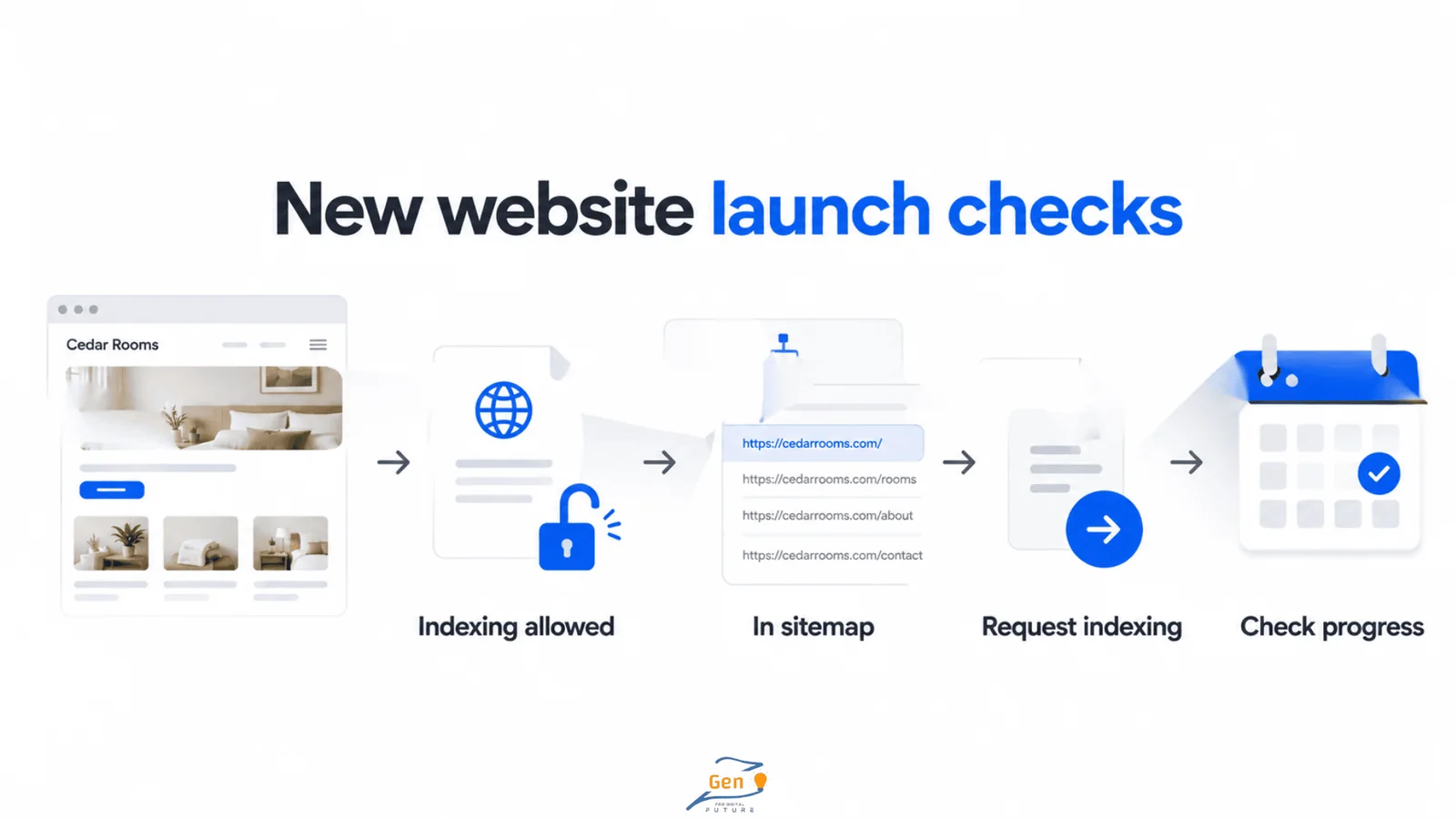
Ask your developer to confirm that the homepage allows indexing and appears in your sitemap. A sitemap lists website pages for search engines to discover.
Once those checks are complete, request indexing for the homepage.
Google advises allowing at least one week after submitting a sitemap or indexing request before assuming something has gone wrong. That gives you a point at which to check progress, but it does not promise an appearance within seven days.
If Search Console already reports an error, investigate it now. Waiting will not remove a setting that tells Google to exclude the page.
Website Not Showing on Google After a Redesign or Move
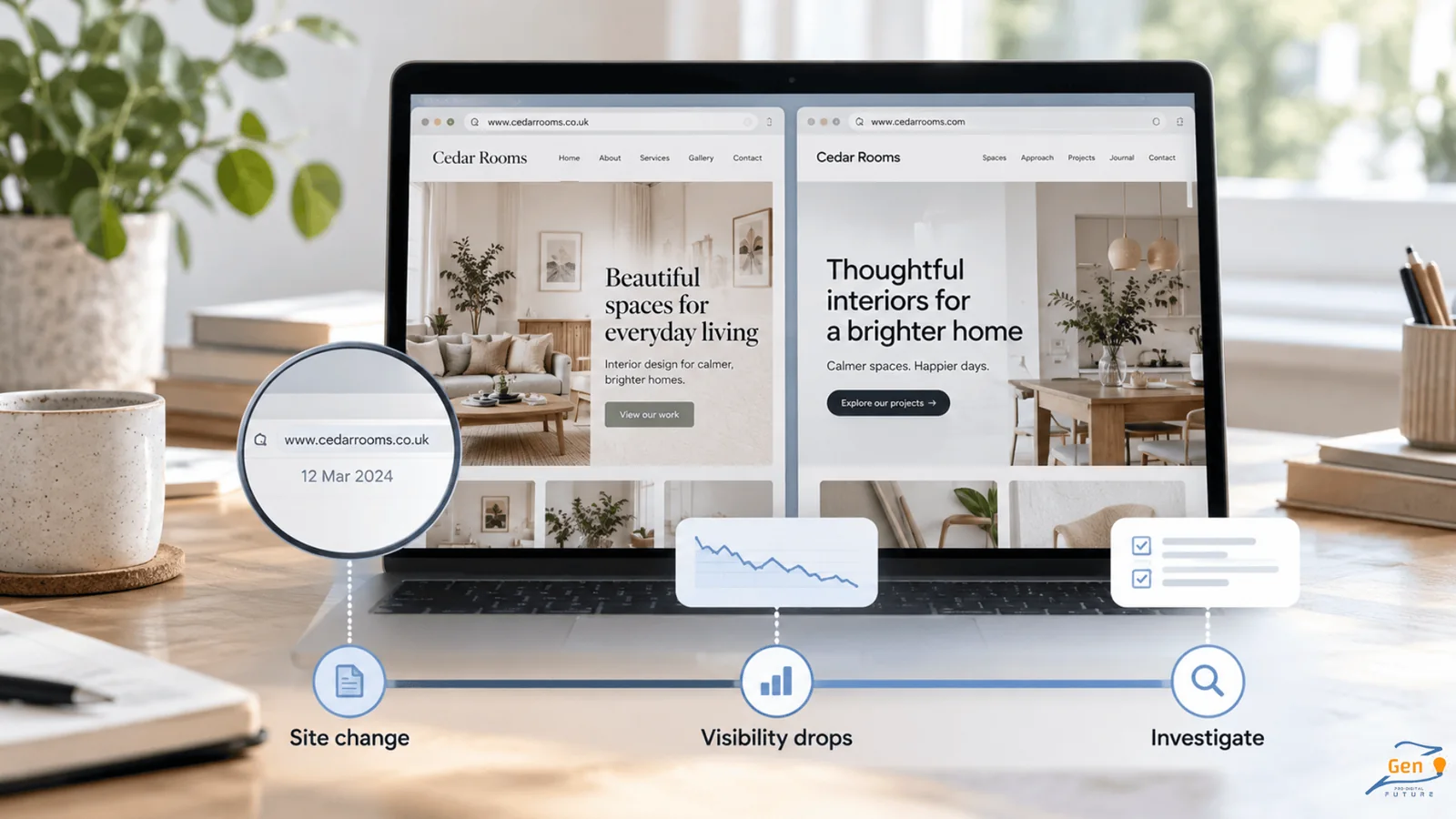
If your website appeared before a redesign, domain change, or hosting move, tell your developer when it disappeared. They can then compare that date with the work they completed.
Also review Search Console’s Manual Actions, Security Issues, and Removals reports. These can reveal restrictions that a homepage rewrite will not resolve.
An algorithm update may seem like the obvious explanation, but check recent website changes and reported problems before reaching that conclusion.
A Website That Opens for You May Still Block Google
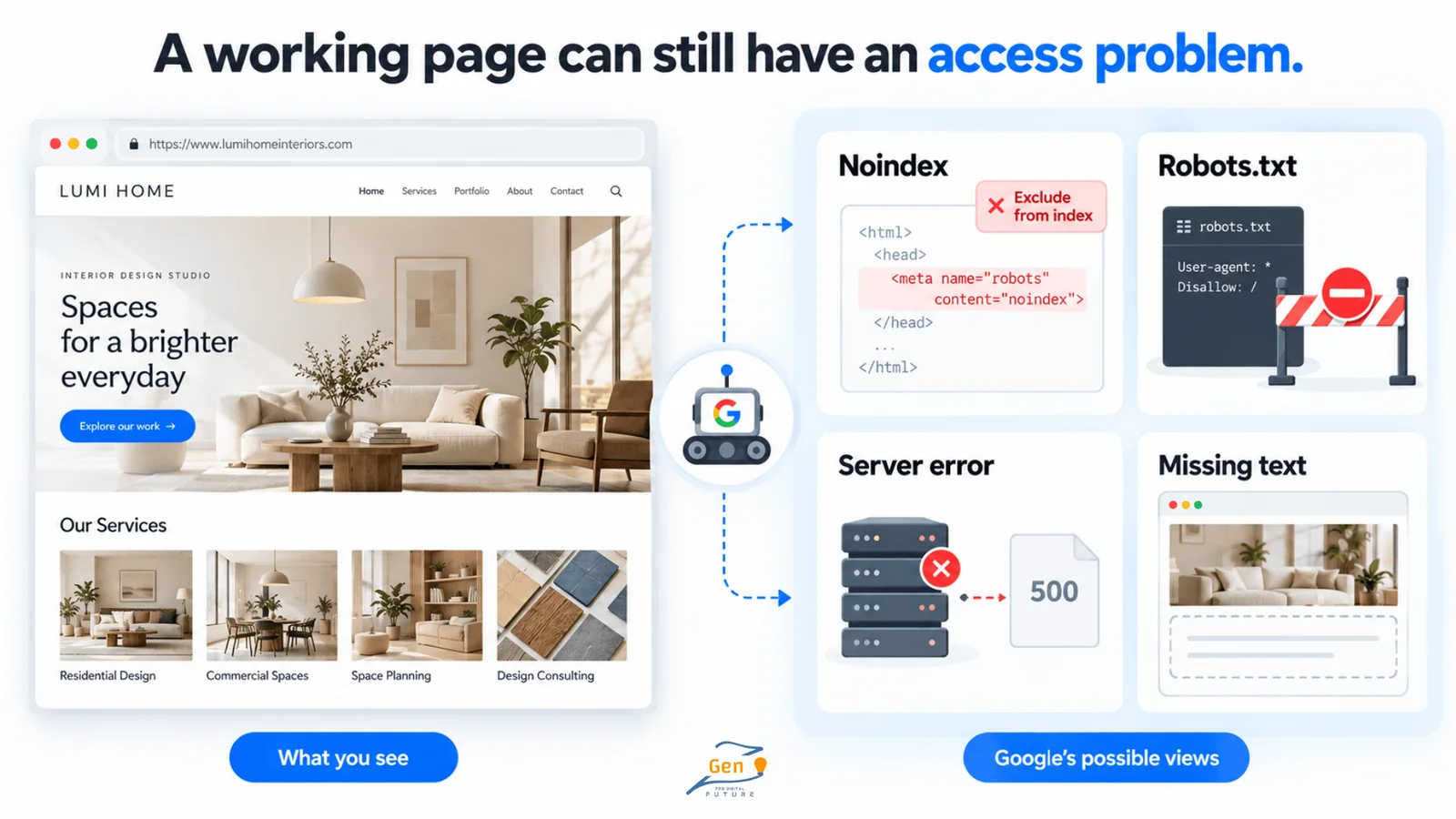
Your browser can display a page even when a setting or code problem prevents Google from accessing the same content.
For example, a developer may restrict search engines while building your website. If that restriction remains after launch, publishing the website will not remove it.
Ask your developer to check for these problems:
| Possible problem | What it does |
|---|---|
| A noindex instruction | Tells Google to leave the page out of its index. |
| A robots.txt block | Restricts Google’s access to the page. |
| A password or server error | Can prevent Google from opening the page. |
| Missing text after the page loads | May prevent Google from seeing the company name or service description. |
Our on-page expert also checks how the homepage renders, meaning what appears after its code runs. Your website may look complete when you open it, but a code error or blocked file could prevent important text from loading when Google visits.
Your developer can run a live test in Search Console and inspect the screenshot and HTML. Ask them to confirm that the company name and main description appear there.
They should fix the restriction affecting your public homepage while keeping private areas secure. Removing every restriction across the website could expose pages that customers and search engines should not access.
Once the repair is complete, test the homepage again and request indexing.
Your Homepage Should Explain Which Business the Name Belongs To
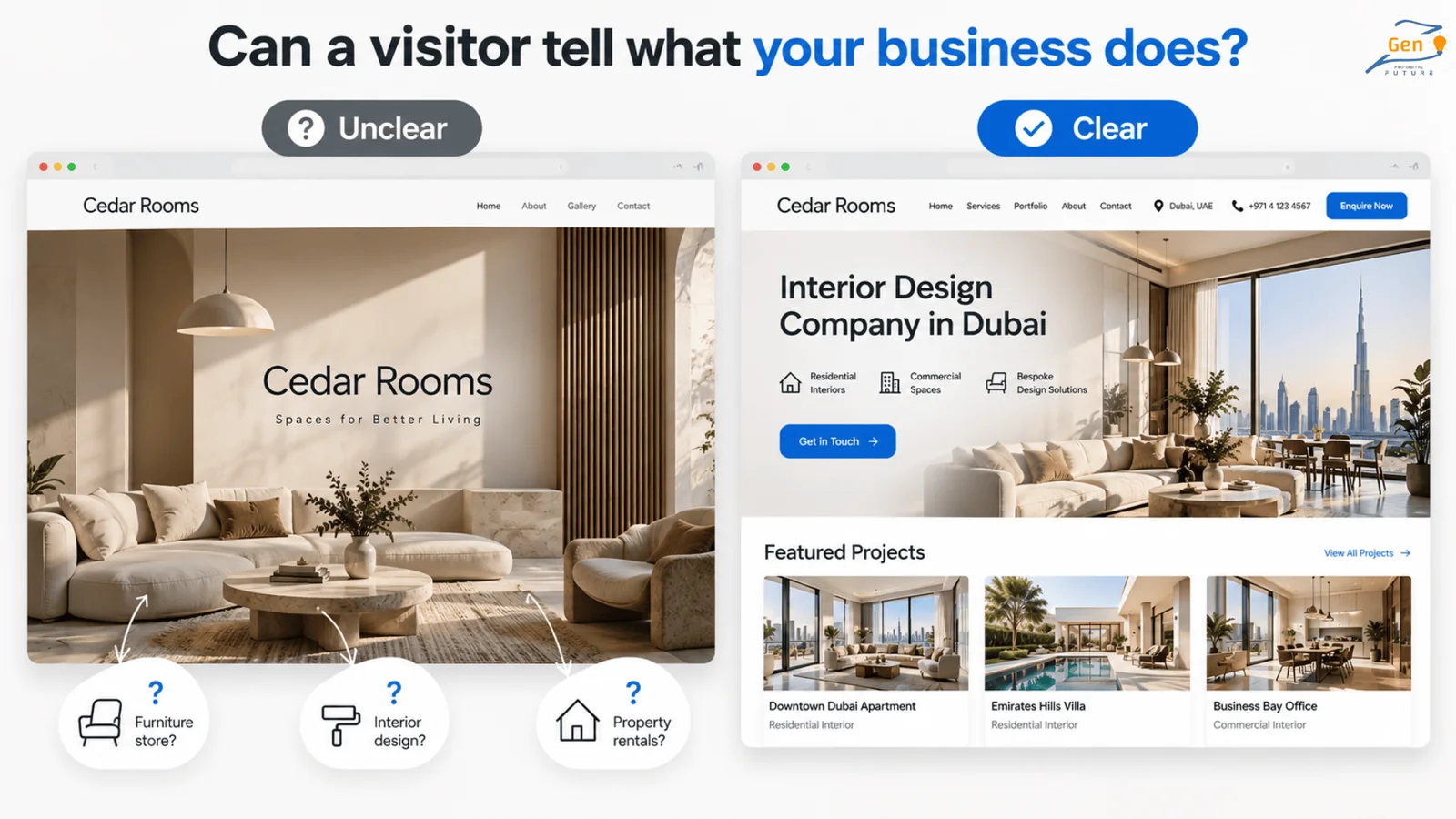
If Google has indexed your homepage, read it as someone who has heard your company name but knows little else.
Take a fictional company called Cedar Rooms. Its homepage shows a logo and the line “Spaces for Better Living.” A visitor could reasonably wonder if it sells furniture, designs interiors, or rents holiday homes.
A title such as “Cedar Rooms | Interior Design Company in Dubai” gives that person clearer information. The opening paragraph can then explain the homes it designs and the areas it serves.
You do not need to repeat the name throughout the page. Include the company name, services, location or service area, and contact details where visitors can easily find them.
Make sure the name also appears as readable text instead of relying entirely on a logo image.
Then check your About and Contact pages, particularly if you have moved or changed the business name. A customer should find consistent details whichever page they open.
An Old Page or Website Version Appears Instead
An About page ranking for your company name is not automatically a problem. Open it and check if customers can identify the business and reach the information they need.
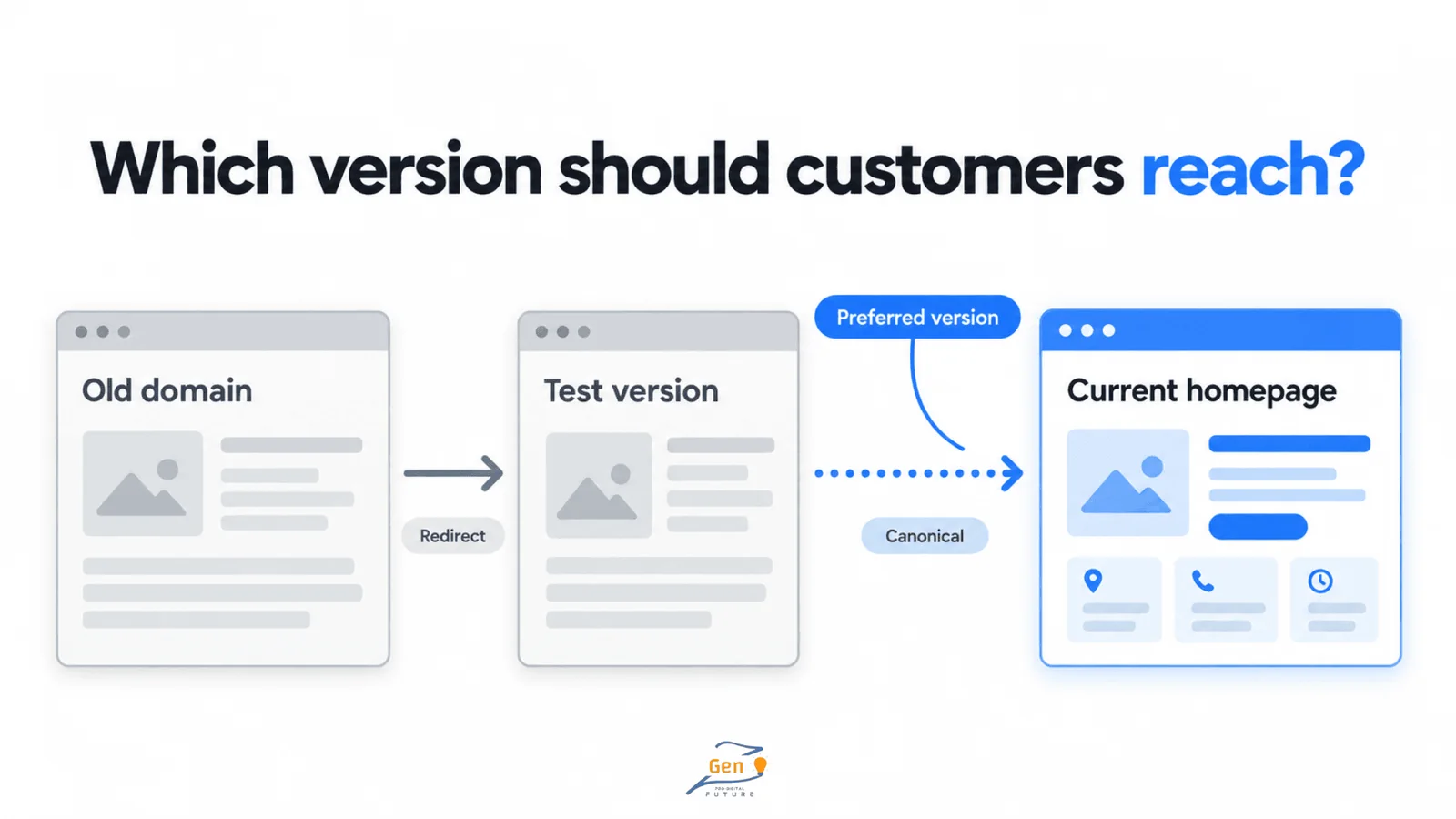
A forgotten test website or old domain needs closer attention because it may show outdated details or send customers to the wrong place.
Ask your developer to inspect the Google-selected canonical, the address Google treats as the main version among similar pages. They may need to correct redirects or canonical tags.
Redirects send visitors to a replacement address, while canonical tags suggest which version Google should use. Each page needs an appropriate destination, so do not point every page’s canonical to the homepage.
Another Company Shares Your Name and Appears Above You
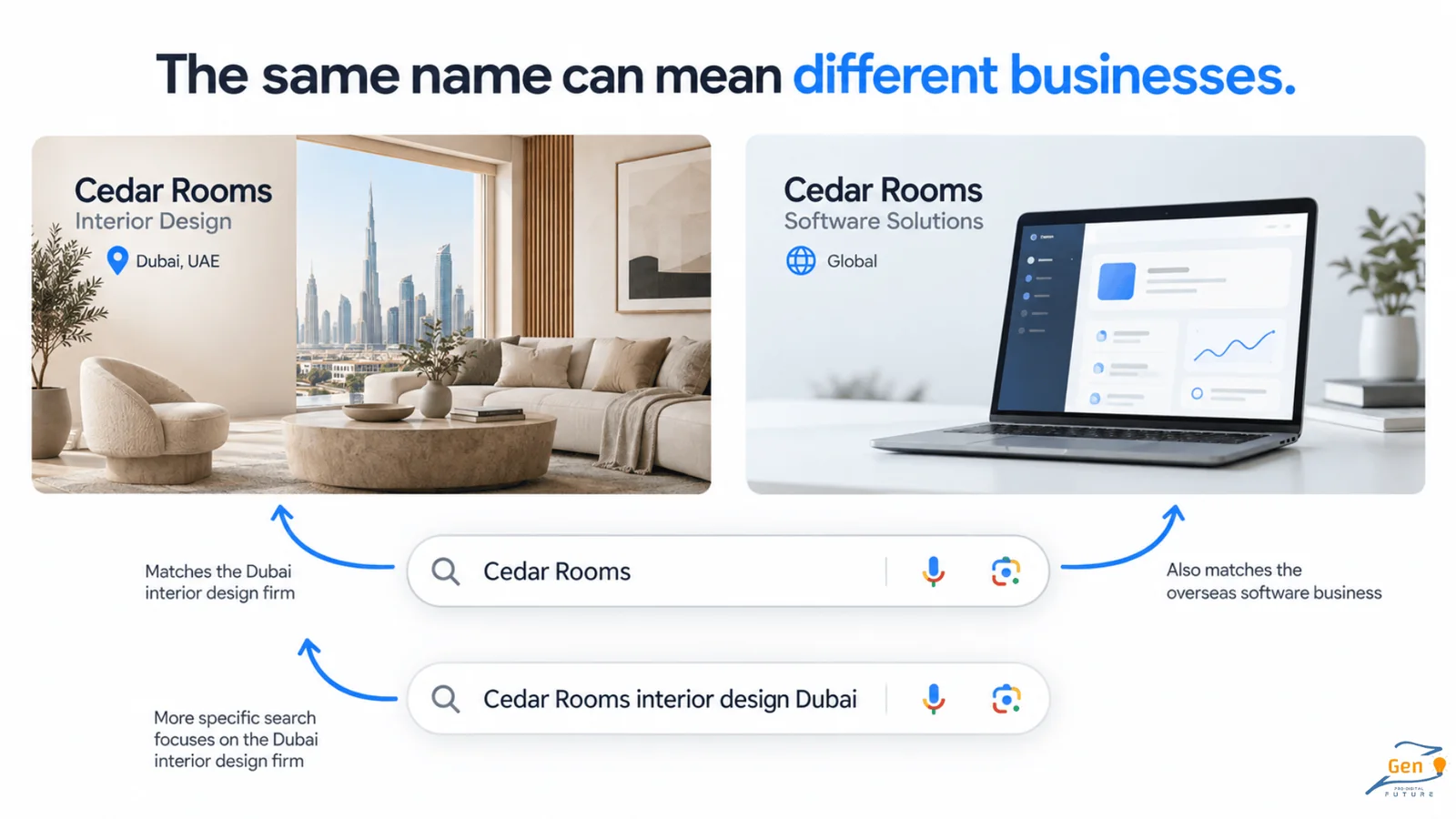
Two businesses can share a name even though they offer different services in different countries.
For example, a Dubai interior company and an overseas software business might use the same name. When someone searches that name alone, Google has limited information about which company they want.
Add your location or service to the search and compare the results. If your website then appears, the extra detail may be helping Google identify your business. That does not prove it has merged the two companies.
I asked our SEO and marketing team how they choose websites to approach for mentions in these cases. They look for sources that explain where the company operates and what it does, because those details help distinguish businesses with similar names.
A regional publication could describe your work in Dubai, while an industry publication could explain the services behind the company name.
Before seeking new mentions, review profiles you already control. These may include LinkedIn, relevant directories, and your Google Business Profile if your business qualifies for one.
Correct wrong website links, outdated locations, and descriptions that no longer reflect your services. The facts should agree, but every profile does not need the same wording.
Your developer can also add organisation structured data, information in the page’s code that describes your business. Google says this can help distinguish organisations, so keep the name, website, and official profile links accurate.
The code should agree with the information customers can read on the page. It can support Google’s identification of your company, but it does not guarantee a first-place ranking or a company information panel.
Facebook or a Directory Appears Before Your Official Website
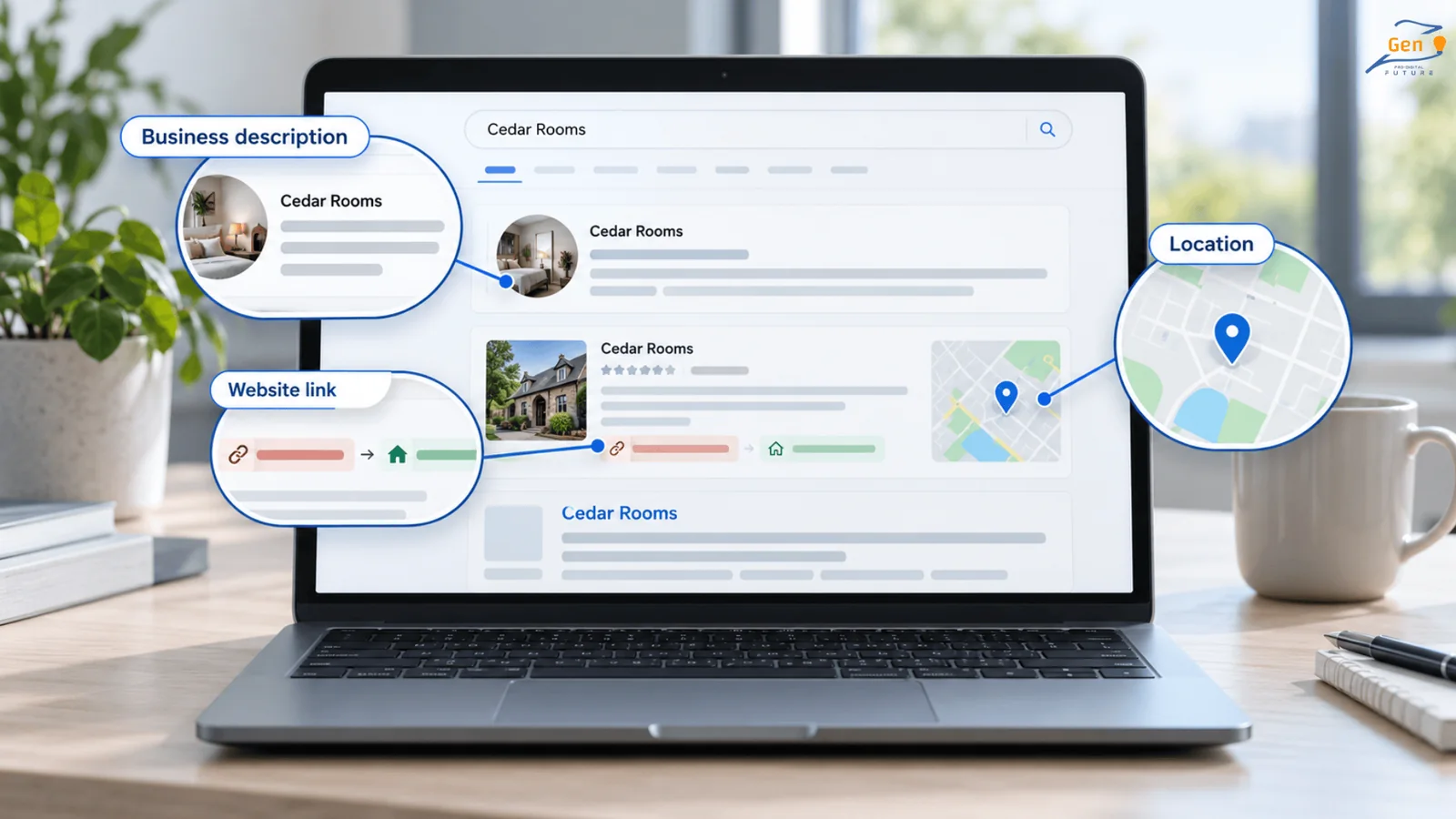
Seeing Facebook above your website does not, by itself, explain why your homepage ranks lower.
The profile may already be an established result for your name, while your homepage has an indexing problem or unclear company details. An old website version could also be competing with it.
After checking those possibilities, open the profiles and directory listings that appear. Confirm that their descriptions refer to your business and that their website links lead to your current homepage.
You may also find genuine articles that mention your company without linking to it. If a link would help readers reach your business, ask the publisher to add the correct address.
Our off-page expert considers relevant local and industry sources when choosing link opportunities. For example, a local report about a completed project can connect your company’s name with its work, location, and website.
You do not need to match another company’s total number of links before customers can find you by name. Ask an agency which websites it proposes and why those sources suit your business.
Those questions are also useful when choosing the right SEO agency, because the answer should explain the proposed work rather than focus only on link quantities.
Your Website, Maps Listing, and AI Mentions Need Separate Checks
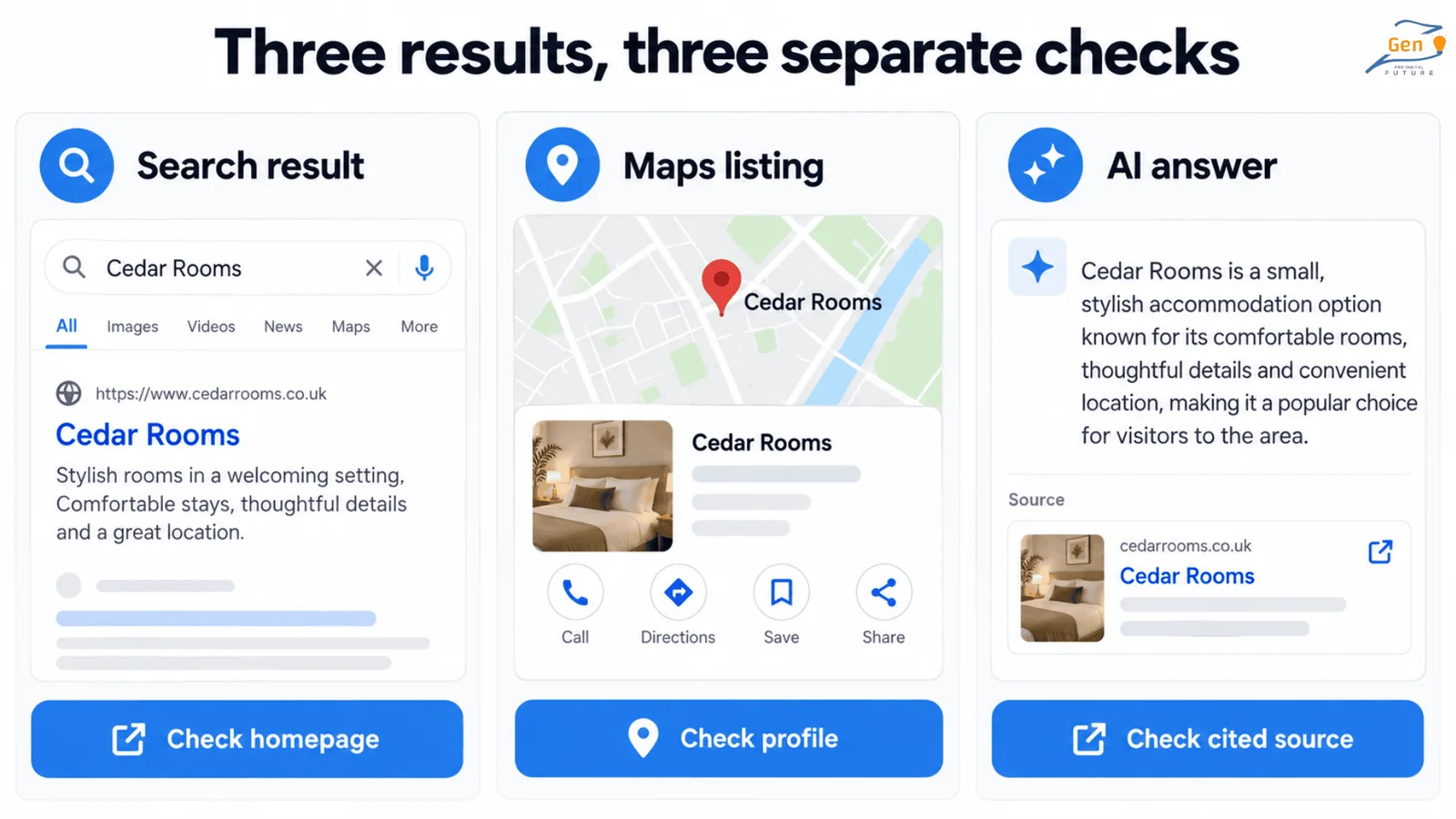
Your website can appear in ordinary search results while your Maps listing remains missing. An AI answer can also describe the company incorrectly even when Google has indexed the homepage.
Identify which result needs attention so you do not spend time changing the wrong thing.
Your Website Appears, but Your Maps Listing Does Not
Open your Google Business Profile and review its verification status, restrictions, category, and website link. Correct inaccurate details through the profile rather than assuming a homepage rewrite will fix the listing.
Business Profiles have eligibility rules, and a website does not need one simply to appear in ordinary Google search results.
An AI Answer Leaves Out Your Company or Describes It Incorrectly
Read any sources the answer cites and look for outdated or incorrect business details. An old directory entry may give you something specific to correct.
The response itself cannot confirm how Google has indexed your homepage, so continue using Search Console for that check.
Google’s guidance for AI Overviews and AI Mode says the usual SEO practices still apply. To qualify as a supporting link, a page must be indexed and eligible to appear with a search snippet.
Google does not require special AI markup or extra AI text files for those features.
Fix access problems and inaccurate company information before paying for additional AI-related work. Otherwise, the homepage may still have the same problem preventing people from finding it.
How to Check if Your Changes Help People Find the Right Website
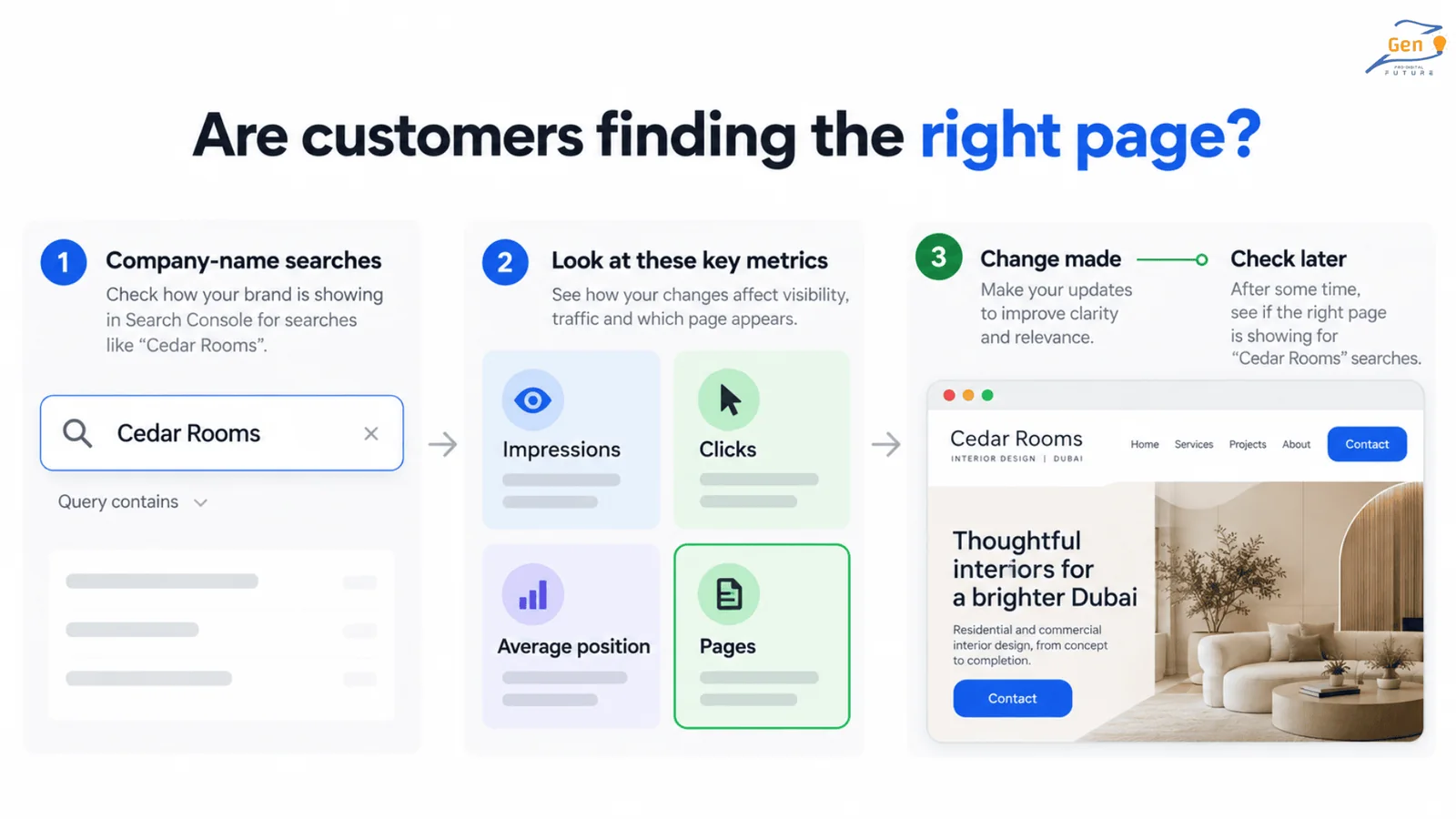
Measure searches for your company name separately from general website traffic. More visits to an unrelated blog post will not tell you if customers can now find your homepage.
In Search Console’s Performance report, filter queries for your company name and common variations. Then check which pages appear and compare their results over time.
| Measure | What it tells you |
|---|---|
| Impressions | How often your website appeared in search results. |
| Clicks | How often someone clicked through from those results. |
| Average position | The average placement across recorded appearances, not a fixed position for every searcher. |
| Pages | Which pages appeared for those company-name searches. |
Record the date of each change and the page it affected. That gives you something specific to compare once Google revisits the website.
Search Console omits some queries to protect privacy, so missing query data alone does not prove nobody found you. Use the available reports alongside checks of the actual search results.
For a website not showing on Google, look for the correct page appearing when people search your company name. Then check if those visitors can easily reach your services and contact details.
If you need another way to reach customers while the repairs take effect, compare the role of SEO and Google Ads. Ads can provide paid visibility, but buying them does not fix organic indexing or improve organic rankings.
Once customers can find you by name, you can consider reaching people who search for your services without knowing your company. Our guide to the value of SEO for your business can help you assess that wider investment.
Not Getting Enquiries From Google? Can People Find Your Website?
A website not showing on Google needs a clear explanation before you spend money on more content or links. Check what appears for your company name, inspect the homepage, and address the cause you find.
At GenzPro, we focus on SEO for service businesses. If your company-name searches still lead to the wrong result, discuss the problem with our team.
Share the search term, your website address, and any recent changes so we can investigate the results you are seeing.
Questions this page invites.
Why is my website not showing up on Google when I search my company name?
Google may not have indexed your homepage, a technical setting may restrict it, or your name may match other businesses. Inspect the homepage in Search Console. If Google has indexed it, review your company information and the results competing for the same name.
Why is my new website not showing on Google search?
Google may still need to discover, visit, and index the homepage. Check that the page allows indexing and appears in your sitemap, then request indexing. If Search Console reports an error, investigate it because waiting alone will not remove a restriction.
My website is not showing on Google search. Do I need to pay Google?
Google does not charge for inclusion in ordinary organic search results. You may need a developer or SEO specialist to fix the website, but that cost is separate from advertising. Buying Google Ads does not resolve an indexing problem.
Should I change my company name if another business appears first?
Check your homepage's indexing, business details, and external profiles before considering a rebrand. A shared name deserves investigation, but a missing search result alone does not establish that you need a different company name.
Can my website reach number one for its company name?
It can, but nobody can guarantee that position. An accessible homepage, clear company information, and relevant references can support visibility. Track searches for your company name and visits to the correct website rather than relying on a promise of permanent first place.
How long does it take for Google to show my website for my company name?
Once Google can crawl and index your homepage, it may appear for your company name within days to a few weeks. A brand new site, a recent redesign, or an indexing error can extend that. If Search Console shows the page is indexed but it still does not rank for your name, check your homepage clearly states the company name, services, and location in readable text.
Why does Facebook or a directory rank above my website?
A social profile or directory may be an older, established result for your name while your homepage has an indexing problem or unclear company details. Confirm Google has indexed your homepage, make sure those profiles link to your current website, and strengthen your homepage so it clearly identifies your business.
My website opens in my browser but does not appear on Google. Why?
A page can load fine for you while a setting blocks Google. Common causes are a noindex tag left on after launch, a robots.txt rule, a password or server error, or important text that only loads after the page runs. Ask your developer to run a live test in Google Search Console and confirm the homepage and its company name are visible to Google.

Unlock $1M/Year revenue with Organic traffic for your business.
What we've learned from running organic growth programs in Dubai.
No promotional copy, no link bait.
Related articles

Do you want to grow your revenue with organic traffic?
Answer 10 question we'll audit your site to build custom seo funnel and tell you what exactly you need to do to grow your revenue from SEO traffic.